
Update: I first wrote this post in 2023, and four years later it’s still the best topo map app.
If you looking for the best topo map app for hiking in New Zealand don’t make the mistake I made and download all the free ones to try and hack together a functional topo map app. It’s so much faff.
The two best topo map apps you need to download are:
- NZTopo50N (Google Play | Apple)
- NZTopo50S (Google Play | Apple)
Note: If you’ll only be hiking on one of the islands, you’ll only need to download one.
And yes, you’ll have to pay for them. They cost NZD$6.99 each.
But trust me. It’s worth it. As someone who has been going out into the backcountry ore and ore it’s one of the must-have New Zealand hiking apps I wish I downloaded earlier.
Here’s the apps website that’ll give you lots more details about everything straight from the developer, Steve.
WHY IS THIS THE BEST TOPO MAP APP NZ?
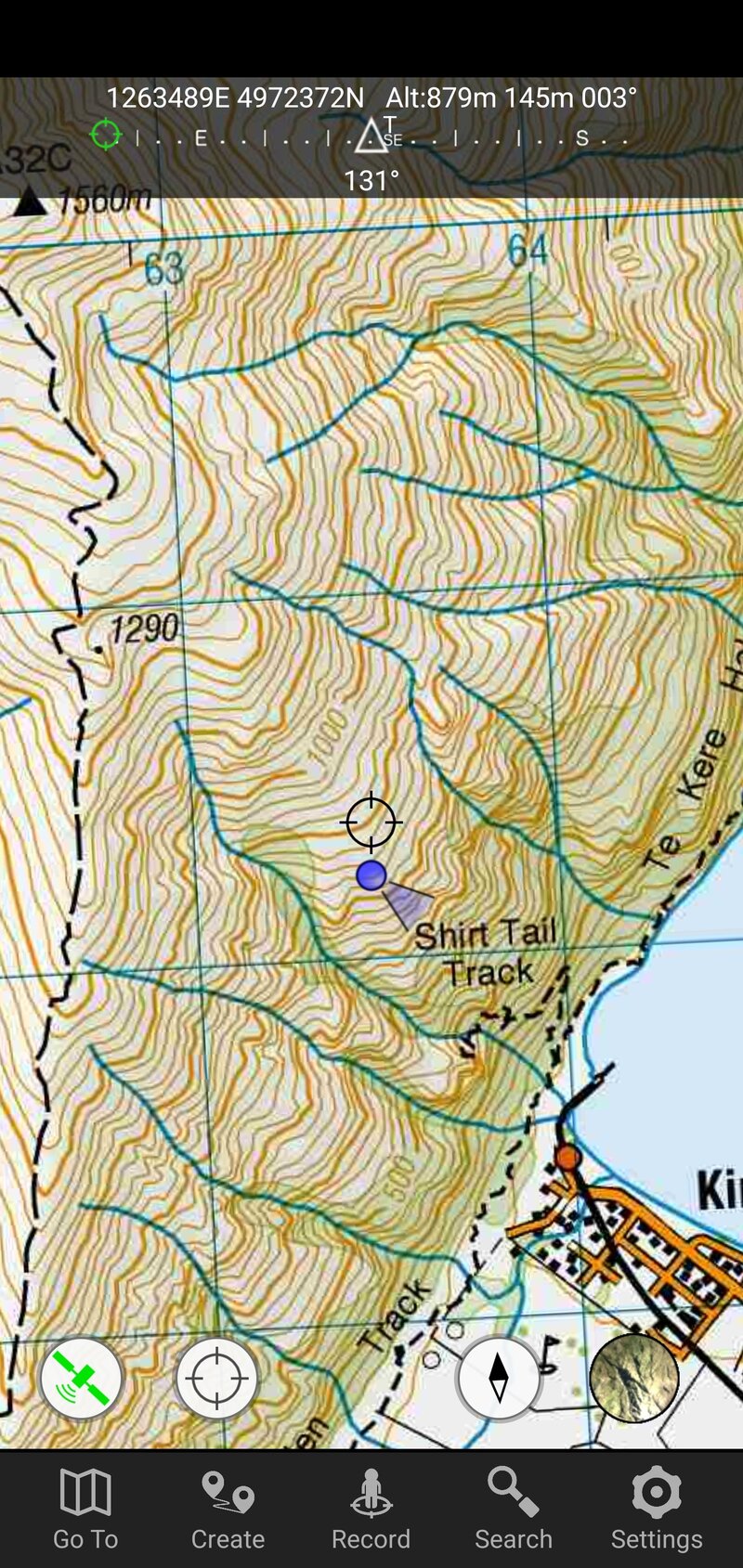
1. IT’S EASY TO IMPORT GPX FILES
I’m not great at app technology and imporing/exporting files, but I can import a GPX file for my topo app.
I download the GPX file on my computer, email/message the file to myself, then on my phone click on the option to open the map in Topo 50. Then all of a sudden I have the route on my app. Success!
Alternatively, if you’ve got GPX files on your phone already, you can import them via the settings tab on the app.
Too easy.
2. THE APP IS UPDATED REGULARLY
The world of mapping data is complicated, and things are always changing. When you’ve got a topo map app, I can imagine there are lots of little changes behind the scenes happening. Each one may be small, but they’d eventually render the app useless.
That’s not the case here with the developer regularly updating the app. Yay for paid apps 🙂
There’s also new features coming out from time to time, they’re not all a hit (ugh, peak finder)…but he is on a upward trajectory.
3. THERE ARE HEAPS OF DATA OVERLAYS
If you’re doing the Te Araroa Trail, you can simply turn on the setting to have the entire TA route loaded. Instantly.
The same goes for DOC walking tracks, which are great for finding tracks in random places!
And DOC campsites and huts. If you’re on a long mission and need to change plans, then you can find an alternative hut or campsite nearby,
And that’s just the tip of the iceberg.
4. IT’S ALL OFFLINE
That was always one of the things I most liked about Maps.me. Once you’ve downloaded the map, you can use it at any time.
That’s the same with the NZ Topo 50 app. Now that it has been installed, I can add on overlays at any point, track my position, and browse the map in the highest resolutions.
I’ve tried free topo maps in the past…and while they work sometimes, it’s a lot of faff and they’re unreliable.
5. YOU CAN ZOOM!!!
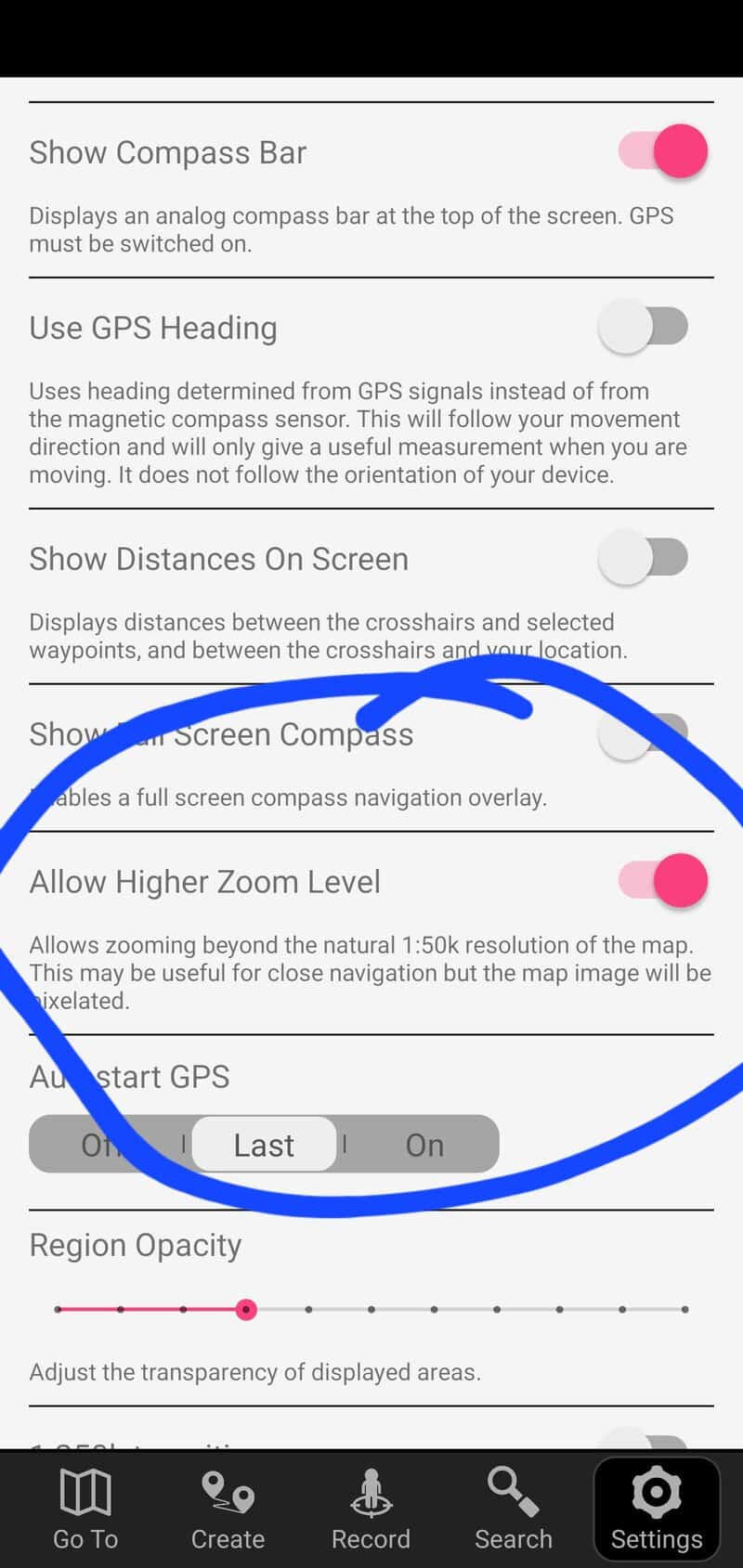
Having used this topo map app for such a long time, I only just discovered that you can zoom in on the map further. So often I want to scroll in a bit more to see what the terrain is like…or if I’m actually at the peak.
And if you go to settings and scroll down, turn on the zoom function as above. I can’t believe this isn’t the default setting!
ARE THERE ANY DOWNSIDES?
Besides the cost, the only real downside is the file size of the app. I wasn’t expecting the file to be so large (2GB each). I’d finally pulled the trigger on the way to Brewster Hut only to realise the app file size and I didn’t have enough time to download it before we went out of reception :p
So if you’re one of those people (that wouldn’t be me…) who are always deleting things off your phone to create space you’ll need to delete a host of stuff to fit this app.
ARE ANY OF THE FREE TOPO MAP APPS ANY GOOD?
In my experience, no. While they can work if you really want them too, they were always more hassle than they were worth in my experience. That was after trying a few options.
Suck it up and pay the $6.99 and buy the best topographical map app to make your NZ adventures awesome.
If you’ve got any input to add, or questions to ask about NZ topo maps apps, use the comments box below or email jub@churnewzealand.com.
Happy hiking!
p.s. here’s a map of all the tracks and hikes you can find on Chur New Zealand that I’ve written about. Many of them will include the GPX file.
Hey, it’s Jub here. I’m the guy behind Chur New Zealand, helping you have the best time hiking, trekking, walking…whatever you want to call it…in NZ. I’m based in Queenstown and am always out and about exploring trails, old & new. If you have any questions, reach out.